NFC tags are small, wireless devices that store data accessible via Near Field Communication technology. Used in contactless payments, product authentication, smart marketing, and asset tracking, NFC tags enable seamless, secure interactions between devices, transforming industries like retail, healthcare, and logistics.
NFC technology is increasingly used by businesses to connect physical products, marketing materials, and customer touchpoints with digital content. However, choosing the best NFC tags is not simply a matter of selecting a chip with the most memory or advanced features. The right option depends on the application, tag format, installation environment, security requirements, and how customers or employees will interact with it. This guide explains the main factors businesses should consider and explores several NFC tag solutions for different commercial applications.
1. What Should Businesses Consider When Choosing NFC Tags?
Before comparing specific NFC products, it helps to understand which characteristics can affect the suitability of a tag for a particular project.
1.1 Application Requirements
The first consideration is what the NFC tag needs to accomplish. A tag used to open a website has very different requirements from one used to authenticate a luxury product. Similarly, an NFC tag integrated into clothing needs a different physical design from one attached to a rigid package.
Defining the primary function first can help narrow down the available options.
1.2 Memory Capacity
NFC chips provide different amounts of user memory. For simple applications such as storing a short URL, a small-memory chip may be sufficient. Applications that require longer URLs or additional data may benefit from a chip with greater memory capacity.
Memory should therefore be evaluated according to the actual data requirements rather than simply choosing the largest available capacity.
1.3 Security
Not every NFC application requires advanced security. For marketing campaigns, menus, contact sharing, or review links, basic NFC functionality may be enough. Product authentication and anti-counterfeiting applications, however, require security features that can help protect data and verify tag authenticity.
1.4 Physical Construction
The tag’s physical construction can be just as important as the NFC chip.
Businesses should consider:
Where the tag will be installed
Whether the surface is flat, curved, or flexible
Whether the tag needs to be hidden or visible
Exposure to moisture, heat, washing, or mechanical stress
Whether adhesive, sewing, heat pressing, or another installation method will be used
2. NFC Tag Solutions for Different Business Applications
Once the requirements are clear, businesses can select a tag design that fits the intended use.
2.1 Customer Engagement and Digital Information
For applications where the main purpose is to connect customers with digital content, a straightforward NFC tag is often sufficient.
NTAG® 213 is a practical option for these applications. Its relatively simple feature set makes it suitable for applications where the primary interaction is tapping a smartphone to access digital information.
For projects that need more storage, NTAG® 216 provides 888 bytes of user memory. This makes it more suitable when a longer URL or additional information needs to be stored on the chip.
The important point is that businesses do not necessarily need a high-security or high-memory chip for a simple digital interaction. Choosing a solution that matches the actual requirement can help keep the project practical and cost-effective.
2.2 Product Authentication and Brand Protection
A basic NFC tag can store information, but storing a product URL alone does not establish that the product is genuine. Businesses concerned about counterfeiting may need cryptographic security and mechanisms for verifying tag authenticity.
NTAG® 424 DNA is designed for this type of application. It supports AES-128 cryptography and secure authentication features, making it suitable for applications where the NFC interaction needs to provide more than a simple link.
2.3 NFC and UHF in One Product
Some business applications need NFC for smartphone interaction while also requiring UHF RFID for longer-range identification.
This can be useful when the same physical product needs to serve two different purposes. For example, a garment could provide an NFC interface for consumers while using UHF RFID for inventory operations.
OurNFC+UHF Garment Badge combines NFC and UHF RFID functionality in one tag. This type of dual-frequency solution can be particularly useful for apparel where consumer engagement and supply-chain identification need to coexist.
3. Comparing NFC Chips for Business Applications
Once the application has been defined, chip specifications can help narrow down the options.
NFC Chip
User Memory
Key Feature
Suitable Applications
NTAG® 213
144 bytes
Basic NFC functionality and password protection
URLs, digital information, customer engagement
NTAG® 216
888 bytes
Higher memory capacity
Longer URLs and applications requiring more stored data
NTAG® 424 DNA
416 bytes
AES-128 cryptography and authentication
Product authentication and brand protection
ICODE® SLIX
112 bytes
NFC Forum Type 5
Identification and applications requiring longer operating distance
EM4425
—
NFC + UHF functionality
Apparel and applications combining consumer interaction with RFID identification
4. Choosing NFC Tags Based on Form Factors
Selecting the chip is only one part of designing an NFC solution. The physical format determines how easily the tag can be integrated into the product or business environment.
4.1 Labels and Stickers
These are suitable for applications where the tag can be directly attached to a relatively smooth surface. Typical uses include packaging, promotional materials, product identification, and customer interaction.
4.2 Cards and Stands
Rigid formats are useful when the NFC tag needs to remain visible and accessible.
Flexible constructions can be useful when the installation surface is curved, compact, or subject to movement. For products where a rigid tag would interfere with the design or user experience, a flexible format can provide a more practical solution.
5. How to Select the Best NFC Tags for a Business Project
After defining the application and physical requirements, businesses can narrow down the selection with a simple process.
Identify the main function. Decide whether the tag is primarily for digital information, customer interaction, authentication, identification, or multiple functions.
Determine the data requirements. Estimate how much information needs to be stored and whether the tag will mainly store a URL or additional data.
Decide whether security is necessary. If authenticity or data protection is important, consider a chip with appropriate cryptographic capabilities rather than a basic NFC chip.
Choose the physical format. Consider whether the tag will be a label, card, garment badge, sticker, or flexible design.
Evaluate the installation environment. Check exposure to water, heat, washing, bending, chemicals, or other conditions that may affect the tag.
Test the complete solution. The chip alone does not determine NFC performance. Before placing a large order, test the actual tag construction with the intended smartphone, reader, material, and installation method.
6. Conclusion
The best NFC tags for business are determined by the application rather than by a single specification. By considering the chip, physical construction, installation environment, and intended user interaction together, businesses can select an NFC solution that fits the project instead of simply choosing the most advanced option available.
RFIDTag provides a wide range of NFC tags in different chips, materials, and form factors to meet diverse business requirements. Visit our website to choose the right solution for your project.
Selecting the right Near Field Communication (NFC) hardware is a critical step in ensuring a seamless user experience. One of the most common questions for developers and product managers is how NFC tag dimensions impact the effective scanning distance. While the technology operates on simple electromagnetic principles, the interplay between size and performance is nuanced. This article explores the direct relationship between tag size and read range, helping you optimize your next project for the international market.
1. What Determines NFC Read Range?
Unlike UHF RFID, NFC operates at 13.56 MHz and relies on near-field magnetic coupling between the reader and the tag. This means communication happens only when the reader and tag are physically close to each other.
Several factors affect NFC read range:
Antenna size
Antenna design
NFC chip sensitivity
Reader power
Metal interference
Environmental conditions
Tag orientation
Among these factors, antenna size is one of the most important. Since antenna size is closely related to NFC tag dimensions, the overall dimensions of the tag have a major impact on performance.
2. Understanding the Basics of NFC Tag Dimensions
To understand the relationship between size and range, we must first distinguish between the physical size of the tag and the size of its internal antenna. An NFC tag typically consists of an IC (Integrated Circuit) and an antenna, often housed on a substrate like PET or paper.
When we discuss NFC tag dimensions, we are often referring to the outer measurements of the sticker or card. However, the true driver of performance is the antenna size. A high-quality tag will maximize the antenna surface area within the given physical footprint. For example:
Wet Inlays: These are the functional part of the tag, where the antenna is visible.
White Labels: These add a paper or plastic face, often resulting in a slightly larger physical size than the antenna itself.
Encapsulated Tags: Disc tags or keyfobs have thicker housing, which can add bulk without increasing the antenna’s reach.
3. How Size Affects the Magnetic Field
NFC operates on the principle of inductive coupling at a frequency of 13.56 MHz. The reader (such as a smartphone) creates a magnetic field. When an NFC tag enters this field, the antenna harvests energy through electromagnetic induction to power the chip and transmit data.
The efficiency of this energy harvest is directly proportional to the antenna’s surface area. A larger antenna acts like a larger “net,” catching more magnetic flux from the reader. Consequently:
Increased Flux Capture: Larger NFC tag dimensions allow the antenna to capture more energy at a greater distance.
Mutual Inductance: The coupling between the reader and the tag is strongest when their antennas are of similar size and alignment.
Power Threshold: Every NFC chip has a minimum power requirement. Larger antennas reach this threshold further away from the reader than smaller ones.
4. Small vs. Large: Comparing Common NFC Tag Dimensions
The market offers a vast array of sizes, each suited for different use cases. Understanding the trade-offs is essential for product design.
4.1 Small Tags (Under 20mm)
Small tags are popular for discreet integration into jewelry, medical devices, or small consumer electronics. However, they come with significant performance limitations.
Read Range: Typically 5mm to 15mm.
User Experience: Requires very precise placement.
Best For: Applications where space is extremely limited and the user is expected to touch the device directly.
This is the “goldilocks” zone for most commercial applications. A 30mm round tag is the industry standard for marketing stickers and product packaging.
Read Range: Typically 20mm to 40mm.
User Experience: Offers a reliable “tap and go” feel. Most smartphones can easily detect these tags without requiring surgical precision.
Best For: Retail, smart packaging, and interactive posters.
4.3 Large Tags (Credit Card Size and Above)
When maximum range is required, larger NFC tag dimensions are the way to go. These are often used in corporate ID badges or smart posters.
Read Range: Can reach 50mm to 70mm or more depending on the reader’s power.
User Experience: Extremely forgiving. The tag can often be scanned even before it physically touches the reader.
Best For: Access control, transit cards, and large-scale advertising.
5. Factors That Complicate the Size-Range Relationship
While “bigger is generally better,” the relationship is not always linear. Several technical factors can influence how NFC tag dimensions translate into real-world performance.
5.1 The Reader’s Antenna Size
Maximum efficiency occurs when the tag antenna matches the reader antenna. Most modern smartphones have NFC antennas located near the top edge or around the camera module. If a tag is significantly larger than the phone’s antenna, the magnetic field may not be uniform across the entire tag, leading to diminishing returns in range.
5.2 Chip Sensitivity and Power Requirements
Not all NFC chips are created equal. Newer generations, like the NXP NTAG213 or ICODE series, are designed for higher sensitivity. A high-sensitivity chip on a medium-sized antenna might outperform a low-sensitivity chip on a larger antenna. Additionally, chips with complex features like AES encryption require more power, which naturally reduces their effective read range.
5.3 Environmental Interference
Metal is the enemy of NFC. If a tag is placed on a metal surface, the magnetic field is “shorted out,” rendering the tag unreadable regardless of its size. In these cases, you must use “on-metal” tags, which include a ferrite shielding layer. These layers add thickness and can slightly alter the optimal NFC tag dimensions for the intended range.
6. Practical Guide: Choosing the Right Dimensions for Your Application
To select the ideal NFC tag dimensions, follow this decision-making framework:
Identify Environment: Will they be scanning in a stable environment (like a desk) or on the move (like a bus stop)? For “on-the-go” scanning, prioritize larger antennas (35mm+).
Determine the Housing Material: If the tag is buried inside plastic or glass, the material will attenuate the signal. You may need to increase the antenna size to compensate for the loss.
Balance Aesthetics and Function: While a 50mm sticker offers great range, it might overwhelm your product’s design. A 30mm tag often provides the best balance of visibility and performance.
Application
Recommended Size
Expected Range
Jewelry/Wearables
10mm – 15mm
0 – 1 cm
Product Packaging
25mm – 30mm
2 – 4 cm
Smart Posters
40mm – 50mm
4 – 6 cm
Access Control Cards
85mm x 54mm
5 – 8 cm
7. Antenna Design Matters as Much as Size
Although NFC tag dimensions strongly influence read range, dimensions alone do not determine performance.
Two tags with identical sizes may perform differently because of:
Antenna geometry
Coil turns
Copper quality
Chip sensitivity
Matching circuit optimization
A well-designed 20 mm NFC tag can sometimes outperform a poorly designed 25 mm tag. This is why professional NFC manufacturers focus not only on dimensions but also on antenna engineering and tuning.
8. Conclusion
The relationship between NFC tag dimensions and read range is one of the most important considerations in NFC system design. In general, larger NFC tag dimensions allow for larger antennas, stronger magnetic coupling, and more reliable scanning performance. However, dimensions alone are not enough. Antenna design, materials, installation surface, and smartphone compatibility all influence real-world results.
At RFIDTag, we provide customized NFC tags for packaging, industrial tracking, smart marketing, and IoT applications. Whether you need small NFC tags or high-performance anti-metal solutions, our team can help you select the right dimensions for your project.
FAQs
1. Does a larger NFC tag always have a longer read range?
Generally, yes. Larger NFC tag dimensions allow for larger antennas, which usually improve magnetic coupling and scanning distance. However, antenna design and chip sensitivity also affect performance.
2. What is the smallest workable NFC tag size?
Some ultra-small NFC tags can be as small as 8–10 mm. However, very small tags typically have extremely short read ranges and may require precise phone positioning.
3. What is the typical read range of an NFC tag?
Most NFC tags are readable within 1–5 cm, depending on the NFC tag dimensions, antenna design, smartphone model, and surrounding materials.
4. Which NFC tag dimensions are best for smartphones?
For reliable smartphone interaction, NFC tags around 25–30 mm generally provide stable performance across most devices.
The Heat Press NFC Garment Badge represents the future of wearable technology. This compact badge, with a diameter of 25 mm, is made from durable silicon, ensuring resilience against everyday use. At its core, it houses a state-of-the-art NXP NTAG® 424 DNA NFC chip, enabling seamless interaction between your clothing and your smartphone. To access exclusive digital content, authenticate your garment, or dive into immersive brand experiences.
Note: Tags are supplied in factory-default condition, with no data pre-encoded. For pre-encoding to enable immediate verification, please contact us for pricing.
The HFNFC FPCB Tag NXP NTAG® 213 integrates advanced NFC technology with a flexible printed circuit board design, offering heat and pressure resistance ideal for re-encapsulation. Equipped with NTAG® 213 chip, it supports anti-collision and 32-bit password protection for enhanced security. Its compact size and reliable performance make it perfect for product authentication, dynamic marketing, and real-time customer engagement.
This Ø30mm NXP NTAG® 213 NFCon-metal mobile tag is specifically crafted for use on metal surfaces. It boasts the advanced NXP NTAG® 213 chip and adheres to ISO/IEC 14443-A standards, ensuring rapid and reliable data transmission.
Designed with anti-interference technology and a weather-resistant adhesive, this NFC tag offers exceptional performance on phone surfaces. This tag is ideal for asset management, automating smart homes, enhancing retail marketing, managing access control, sharing digital business cards, swiftly reaching contacts or applications, ensuring personal safety, and coordinating smart meeting schedules.
The NFC FPC Tag is a flexible NFC-based identification solution designed for high-performance identification and data exchange. Made with FPC material, it provides durability and flexibility, making it suitable for curved surfaces, compact devices, and industrial smart applications requiring reliable integration. Designed for embedded installation and further product integration, it is commonly used in OEM and space-constrained applications.
Powered by the ST25TV02KC chip and compliant with ISO/IEC 15693 and NFC Forum Type 5 standards, it enables reliable contactless identification, secure data communication, and standard interoperability.
Many small businesses mistakenly view NFC technology as expensive or complex. However, NFC (Near Field Communication) is a simple, wireless technology enabling close-range device communication. Implementing NFC tag ideas can be cost-effective, quick to deploy, and significantly boost customer engagement. This article explores practical ways small businesses can leverage NFC tags to enhance customer experience and streamline operations.
1. Why NFC Tags Are Perfect for Small Businesses
NFC tags offer a compelling solution for small businesses looking to innovate without breaking the bank. Their inherent simplicity and broad compatibility make them an ideal tool for various applications.
No app required: A tap opens a webpage, form, menu, or profile.
Universal compatibility: Most modern phones read NFC by default.
Low cost: Tags are inexpensive and reusable.
Editable anytime: Change the destination link without reprinting materials.
Small footprint, big effect: A discreet card, sticker, or stand can transform an interaction point.
2. NFC Review Tap Card at the Counter
One of the most immediate and impactful NFC tag ideas for small businesses is the implementation of an NFC review tap card at the point of sale. Imagine a small, elegantly designed card or stand placed near your checkout counter. When a customer taps their smartphone on this NFC tag, it instantly opens your business’s Google Maps review page. For cafés, salons, clinics, and retail shops, this can dramatically increase your review rate, bolstering your online reputation and attracting new customers through social proof. The simplicity of a single tap transforms a cumbersome task into an effortless interaction, encouraging more customers to share their positive experiences.
3. One-Tap WiFi Sharing for Customers
Providing free Wi-Fi is a common amenity, but the process of sharing credentials can often be time-consuming for both staff and customers. An NFC tag encoded with your Wi-Fi credentials offers a sophisticated and convenient solution.
By simply tapping their smartphone on the NFC tag, customers can automatically connect to your Wi-Fi network without the need to manually type in complex passwords. This significantly improves the customer experience. It reduces the burden on your staff, who no longer need to repeatedly provide Wi-Fi details, and presents your business as modern and tech-savvy. This simple yet effective application of NFC tag ideas enhances convenience and leaves a lasting positive impression.
4. NFC Digital Menu or Service List
For businesses that frequently update their offerings, such as restaurants, cafés, or salons, an NFC digital menu or service list is a game-changer.
Instead of reprinting physical menus every time there’s a price change or a new item, you can link an NFC tag to a digital menu hosted online. A customer taps the tag, and their smartphone instantly displays your up-to-date menu or service list. This not only saves significant printing costs and time but also allows for dynamic updates, seasonal specials, or daily promotions to be reflected immediately.
It offers a modern, hygienic, and eco-friendly alternative to traditional paper menus, enhancing the customer experience while demonstrating your commitment to efficiency and sustainability.
5. NFC Loyalty Program Card Without an App
Traditional loyalty programs often require customers to carry physical stamp cards or download dedicated apps, both of which can be inconvenient. An NFC-based loyalty program offers a streamlined, app-free alternative.
Customers tap an NFC tag, which directs them to a web-based loyalty page where they can register, track their points, or redeem rewards. This eliminates the need for an app download, reducing friction and increasing participation.
It provides a simple, modern, and engaging way to reward loyal customers, encouraging repeat business without the overhead of managing physical cards or developing a proprietary application. This innovative approach to loyalty programs showcases the power of simple NFC tag ideas in fostering customer retention.
6. NFC Product Information Tags in Retail Stores
In a retail environment, customers often seek detailed information about products. NFC product information tags can transform the in-store shopping experience.
By tapping their smartphone on an NFC tag attached to a product display, customers can instantly access a wealth of information: product stories, detailed specifications, size guides, instructional videos, or even customer reviews.
This empowers customers to make informed purchasing decisions independently, reducing the need for constant staff assistance and freeing up your team to focus on more complex customer queries. It enhances the overall in-store experience, making it more interactive and informative, and positions your business as forward-thinking and customer-centric. These NFC tag ideas bridge the gap between physical and digital retail.
7. How to Set Up These NFC Tag Ideas in Under 10 Minutes
Implementing these NFC tag solutions is surprisingly straightforward and can often be done in under 10 minutes.
Paste the destination link (review page, menu, booking form, etc.).
Write to the tag and test with another phone.
Place where customers naturally pause: counter, table, entrance, shelf.
Placement tip: eye-level, with a 3–5 word instruction like “Tap to Review” or “Tap for Menu.”
8. Cost Breakdown: Why This Costs Less Than Printing Flyers
Feature
Traditional Print Materials
NFC Tags
Initial Cost
High
Low
Reusability
None (Single Use)
High (Easily Reprogrammable)
Engagement
Passive (Reading)
Active (Interactive Tap)
Updates
Requires Reprinting
Instant Digital Updates
Environmental Impact
High (Paper Waste)
Low (Long-lasting & Reusable)
9. Conclusion
NFC technology is now accessible to small businesses, offering a powerful way to enhance customer experiences and streamline operations. The simplicity, affordability, and versatility of NFC tags make them an invaluable asset. We encourage you to implement a few of these NFC tag ideas to observe their positive impact.
Ready to try these NFC tag ideas in your own store? Explore our customizable NFC tags designed for reviews, menus and more.
The NXP NTAG® 213 NFC Review Sticker combines an advanced NTAG® 213 chip with robust acrylic and industrial-grade 3M adhesive for reliable tap-and-go feedback. Its waterproof, scratch-resistant surface makes it perfect for restaurants, fitness studios, beauty salons and other spaces where customer feedback collection and sleek design go hand in hand.
The HFNFC FPCB Tag NXP NTAG® 213 integrates advanced NFC technology with a flexible printed circuit board design, offering heat and pressure resistance ideal for re-encapsulation. Equipped with NTAG® 213 chip, it supports anti-collision and 32-bit password protection for enhanced security. Its compact size and reliable performance make it perfect for product authentication, dynamic marketing, and real-time customer engagement.
With the rapid advancement of technology, smart homes are becoming increasingly common. But did you know that the NFC feature we use in our daily lives can also be integrated into smart home systems? With just a simple tap, you can instantly trigger devices and automate actions with ease. In this article, I’ll introduce 7 practical ways to use NFC in smart homes. Let’s explore how this simple technology can make your home smarter and more efficient.
What Is NFC in a Smart Home?
NFC in smart homes refers to using NFC tags as physical triggers for automation routines. When a user taps an NFC-enabled smartphone on a programmed tag, the phone can execute predefined actions such as controlling smart devices, launching scenes, sharing Wi-Fi access, or opening automation workflows through compatible platforms.
Why NFC Is Useful in Smart Home Automation
Before exploring specific applications, it is important to understand the role NFC plays in a smart home ecosystem.
Unlike smart home communication technologies such as Zigbee, Z-Wave, Matter, and Wi-Fi, which are designed to connect devices and enable data exchange, NFC mainly works as a simple and convenient interaction method. It allows users to activate predefined smart home actions through a quick tap.
An NFC tag acts as a physical trigger rather than a standalone smart home controller. When a user taps an NFC-enabled smartphone or NFC reader on a programmed tag, the device can launch an automation workflow through compatible platforms such as Apple Shortcuts, Home Assistant, or other smart home systems.
How NFC Works in a Smart Home
Most NFC smart home applications follow a simple process:
An NFC tag stores trigger information The NFC tag contains data or a command that tells the connected device what action should be initiated.
A smartphone or NFC reader scans the tag When the tag is detected, the NFC-enabled device reads the stored information.
The automation platform executes the action The connected system then performs the predefined task, such as adjusting lighting, launching a routine, sharing Wi-Fi access, or controlling compatible smart devices.
This makes NFC a useful addition to smart home systems by providing a more physical and intuitive way to interact with digital automation.
Does NFC Require Wi-Fi in Smart Homes?
NFC tags themselves do not require Wi-Fi, batteries, or an external power source. They are passive devices that only store and transmit information when scanned by a compatible NFC-enabled device.
However, whether an NFC-triggered automation works without an internet connection depends on the specific smart home setup. Factors such as the smartphone, automation platform, connected devices, and whether the workflow relies on cloud services can affect offline functionality.
For example, some locally processed automations may continue to work without internet access, while cloud-based actions may still require an active network connection.
7 Smart Ways to Use NFC in Smart Homes
1. NFC Door Access Control
One of the most practical uses of NFC in smart homes is door access control. Instead of traditional keys or even mobile apps, users can unlock doors with a simple tap of their phone or NFC key fob.
2. One-Tap “Home/Away” Automation
NFC tags, strategically placed by the main entrance, can serve as an intuitive and efficient “Home/Away” toggle. As residents depart, a quick tap can initiate a comprehensive “Departure” scene: automatically deactivating all smart lights, lowering the thermostat to an energy-saving setting, arming the security system, and ensuring non-essential smart appliances are powered down.
Conversely, upon returning, a similar tap can “Wake Up” the house, restoring preferred climate control settings and illuminating pathways. This not only significantly enhances daily convenience but also contributes substantially to energy efficiency by ensuring that high-draw systems like HVAC and lighting are only active when genuinely required.
3. NFC for Wi-Fi Sharing
With an NFC tag, your family and friends no longer need to enter a password. An NFC-enabled “Wi-Fi Coaster” or a discreet wall plaque allows guests to effortlessly connect to the network by simply tapping their smartphone to the tag.
This application extends beyond mere convenience; it also represents a robust security best practice. By utilizing NFC to share credentials for a dedicated guest network, homeowners can maintain the privacy and security of their primary network password while providing visitors with a seamless and welcoming connection experience.
4. Personalized User Profiles
In multi-member households, a generic, “one-size-fits-all” approach to smart home automation may not meet everyone’s preferences. NFC can help create more personalized experiences by providing a simple way for different users to activate their own automation routines.
Rather than identifying users directly through the NFC tag itself, personalization is usually achieved through user accounts, automation platforms, or smartphone-specific shortcuts. When a family member scans an NFC tag, the connected system can trigger the routine associated with that user’s settings.
For example, an NFC tag placed on a kitchen counter could launch a personalized “Morning Routine.” One family member could use an NFC shortcut to start the coffee maker and play a news briefing, while another could trigger a favorite music playlist on a smart speaker or display a customized schedule on a smart display.
5. NFC-Based Smart Appliance Control
By affixing NFC tags directly onto or near appliances, users can create a physical interface for digital commands, streamlining interaction.
An NFC tag on a coffee machine, for instance, can be programmed to initiate a specific brew cycle with a single tap. Similarly, a tag placed on a TV remote or coffee table could toggle an entire media center, activating the television, soundbar, and ambient bias lighting simultaneously. This approach significantly simplifies interaction with multiple devices that would otherwise demand juggling various apps or remote controls, enhancing the overall user experience.
6. NFC for Easier Smart Home Interaction for Children and Elderly Users
NFC can make smart home interactions simpler for children and elderly users by reducing the number of steps required to complete common tasks. With clearly labeled NFC tags placed in convenient locations, users can activate predefined actions through a simple tap instead of navigating multiple apps or menus.
For elderly users, NFC tags can be used as easy-access triggers for functions such as lighting control, entertainment settings, or emergency contact workflows through compatible automation platforms. For children, NFC tags can support simple routines, such as starting a toothbrushing timer, playing a bedtime story, or activating daily schedules.
By providing a physical and intuitive way to interact with smart home systems, NFC helps make automation more accessible for different users.
7. NFC Tags for Smart Home DIY Automation
For technology enthusiasts and DIYers, the NFC smart home environment offers an expansive playground for creating highly customized automation workflows. This allows users to construct sophisticated “If This, Then That” (IFTTT) logic that seamlessly bridges disparate smart home devices and protocols.
DIY practitioners frequently employ NFC for diverse applications, ranging from tracking medication intake to managing pantry inventory. The remarkably low cost of NFC tags encourages extensive experimentation with automation ideas without requiring a substantial financial outlay, fostering innovation and personalized control within the smart home ecosystem.
Key Benefits of NFC Smart Home Automation
NFC enhances smart home automation by providing a simple physical way to trigger digital actions. Compared with app-based controls that require users to open applications and navigate menus, NFC allows users to activate predefined routines with a quick tap.
Benefit
Explanation
Simplified daily control
NFC reduces multiple app steps into a single tap, making frequently used smart home actions faster and easier to access.
Physical interaction with digital systems
NFC tags provide a visible and familiar control point, helping users interact with smart home automation without searching for devices or apps.
Quick scene activation
A single NFC tag can trigger complete routines, such as turning off lights, adjusting settings, or activating entertainment scenes.
Personalized automation
Different NFC tags can be assigned to different routines, allowing users to create customized controls for rooms, activities, or family members.
Flexible placement and deployment
Small, battery-free NFC tags can be placed near doors, appliances, desks, or other locations where specific actions are commonly performed.
Limitations of Using NFC in Smart Homes
Although NFC makes smart home interactions more convenient, it also has some limitations:
Requires Compatible Systems: NFC tags work as triggers rather than standalone controllers. Users need compatible smartphones, apps, hubs, or automation platforms to connect NFC actions with smart devices.
Short Operating Range: NFC requires close proximity, making it suitable for intentional tap-based interactions but not remote control.
Not for Continuous Control: NFC is designed to trigger automation routines, not to replace communication protocols or provide real-time device monitoring.
Conclusion
NFC is redefining how users interact with smart homes. With just a simple tap, complex automation becomes accessible, fast, and intuitive. As demand for seamless, user-friendly smart home solutions continues to rise, NFC stands out as a practical and scalable technology.
RFIDTag provides high-quality RFID tags for businesses. Feel free to contact us for your requirements.
FAQs
What can NFC tags do in a smart home?
NFC tags can trigger smart home automation routines such as lighting scenes, Wi-Fi sharing, appliance controls, door access actions, and personalized workflows.
Do NFC tags need Wi-Fi?
NFC tags do not need Wi-Fi or batteries. However, the automation they trigger may require internet access depending on the smart home platform and devices involved.
Can NFC control smart devices directly?
Usually no. NFC tags typically act as triggers that send commands through a smartphone, hub, or automation platform.
Are NFC tags safe for smart home automation?
NFC tags themselves do not provide complete security protection. Sensitive applications such as door access should use secure credentials and compatible smart lock systems.
What NFC tags are suitable for smart homes?
Common options include NTAG213, NTAG215, and NTAG216 tags because they are affordable, widely supported, and compatible with many smartphone automation applications.
HFKEY FOB TagABS NTAG® 213 combines the trusted NTAG®213 chip with a robust ABS shell. This HF KEY FOB Tag ABS NTAG® 213 supports secure NFC communication for access control, smart ID, parking, and mobile payment. Compact, easy to attach to keychains or lanyards, and built to last daily use.
The HFNFC FPCB Tag NXP NTAG® 213 integrates advanced NFC technology with a flexible printed circuit board design, offering heat and pressure resistance ideal for re-encapsulation. Equipped with NTAG® 213 chip, it supports anti-collision and 32-bit password protection for enhanced security. Its compact size and reliable performance make it perfect for product authentication, dynamic marketing, and real-time customer engagement.
Efficient event management and high attendee satisfaction are key to a successful event. From conferences and trade shows to music festivals and brand activations, ensuring a seamless experience for every participant is a major challenge for organizers.
A growing trend in event management is the use of custom NFC tags. In this article, we’ll explore why events need custom NFC tags, how they solve common management challenges, and how to choose the right type to boost efficiency and attendee satisfaction.
1. Why Events Need Custom NFC Tags
Managing an event efficiently comes with a range of challenges. Such as
Lengthy Check-ins: Manual registration and ticket scanning can create bottlenecks, frustrating attendees.
Limited Real-Time Tracking: Without instant data, organizers struggle to monitor crowd flow, session attendance, and engagement levels.
Low Attendee Interaction: Traditional events often lack interactive elements, making it harder to keep participants engaged.
How NFC Tags Solve These Challenges
Near Field Communication (NFC) is a wireless communication technology that allows devices to exchange data over short distances, typically a few centimeters. NFC is widely used for contactless payments, access control, and interactive experiences. In the context of events, a custom NFC tag enables fast, secure, and seamless interactions between attendees and event systems.
Fast Check-Ins & Access Control: Attendees can simply tap their NFC ring, badge, or wristband to enter, reducing wait times and easing crowd management.
Personalized Experiences: NFC tags can connect participants to event apps, agendas, or exclusive content, offering tailored engagement.
Real-Time Data Collection & Analytics: Organizers gain instant insights into attendee behavior, session popularity, and engagement metrics, enabling data-driven decisions.
Using NFC technology for events and event management NFC solutions not only streamlines operations but also enhances the overall attendee experience, making events more efficient, interactive, and memorable.
2. Different Types of Custom NFC Tags and Their Applications
In modern event management, organizers have a variety of custom NFC tags to choose from, each designed to enhance attendee experience, streamline operations, and increase engagement. Let’s explore the most popular types and their applications.
Description: NFC rings are wearable, lightweight, and stylish. They fit comfortably on a finger, making them easy for attendees to carry throughout the event.
Event Applications:
Fast Check-Ins: Tap the ring to quickly enter the venue, reducing queues and wait times.
Interactive Games & Contests: Engage attendees through NFC-powered activities or prize draws.
Attendance Tracking: Easily record session participation or activity check-ins.
Advantages: Convenient to wear, difficult to lose, and provides a seamless interaction for participants.
Description: NFC badges are ideal for conferences, trade shows, and brand activations. Fashion brands often use NFC badges attached to event apparel. For example, a 25mm silicone badge can connect attendees instantly to product details, brand updates, or social media platforms without interfering with daily wear.
Event Applications:
Access Control: Grant entry to restricted areas or VIP sections.
Conference Check-Ins: Streamline registration and session tracking.
Engagement & Content Access: Link to event apps or personalized content, enhancing attendee interaction.
Advantages: Easy to produce in bulk, lightweight, and highly customizable.
NFC Wristband
Description: Widely used for music festivals, sports events, and exhibitions, NFC wristbands are durable, waterproof, and easy to scan.
Event Applications:
Quick Entry: Attendees tap the wristband to gain access efficiently.
Cashless Payments: Link to wallets for food, merchandise, or ticket upgrades.
Data Collection: Track attendee flow, session attendance, and preferences in real-time.
Advantages: Long-lasting, practical, and supports multiple functions.
Description: LED NFC wristbands combine NFC functionality with LED lighting effects, creating interactive and visually engaging experiences.
Event Applications:
Interactive Shows: Lights can sync with music or event cues, enhancing entertainment.
Audience Engagement: Encourage participation in activities or live voting.
Brand Promotion: Create memorable experiences that strengthen brand recognition.
Advantages: High entertainment value and strong impact on attendee experience.
3. How Custom NFC Tags Enhance Event Business Value
Custom NFC tags are more than just access passes—they are powerful tools that can significantly increase the business value of any event. By integrating NFC technology into your event strategy, organizers can improve operational efficiency, boost attendee satisfaction, and generate actionable insights.
Enhance Attendee Experience
Seamless Entry: NFC-enabled rings, badges, or wristbands allow attendees to enter venues quickly, reducing waiting times and frustration.
Interactive Engagement: NFC tags can trigger personalized content, games, or exclusive offers, making the event more memorable.
Increase Data Value
Real-Time Analytics: Track attendance, session popularity, and engagement metrics instantly.
Behavior Insights: Collect actionable data on attendee preferences and interactions to guide future events.
Marketing & Promotion Opportunities
Brand Integration: NFC tags can link to brand content, social media, or promotional campaigns.
Targeted Offers: Deliver personalized discounts, loyalty rewards, or event follow-ups directly through NFC interactions.
Reduce Operational Costs
Streamline Processes: Automated check-ins and cashless payments reduce staff requirements.
Efficient Resource Management: Track attendance and engagement to optimize event resources and layout.
By leveraging NFC event management benefits and maximizing custom NFC tag ROI, organizers can create events that are not only more efficient but also more engaging and profitable.
4. How to Choose the Right NFC Tag for Your Event
Choosing the right custom NFC tag depends on several factors, including event size, attendee type, and desired functionalities. Understanding the strengths of each tag type ensures you maximize both efficiency and engagement.
Key Considerations
Event Size: Small conferences may only require badges or rings, while large-scale music festivals benefit from durable wristbands.
Attendee Type: Business events often prioritize badges for networking, whereas entertainment events favor wristbands or LED wristbands for interactive experiences.
Functional Requirements: Determine whether the tag will be used for access control, cashless payments, attendee interaction, or brand promotion.
Comparison of NFC Tag Types
NFC Tag Type
Best For
Key Features
Advantages
NFC Ring
Small events, interactive activities
Wearable, fast check-ins, gaming & contests
Stylish, portable, hard to lose
NFC Badge
Conferences, trade shows, brand activations
Access control, check-ins, app integration
Easy bulk customization, lightweight
NFC Wristband
Music festivals, sports events, exhibitions
Entry, cashless payments, data tracking
Durable, waterproof, multifunctional
LED NFC Wristband
Concerts, large entertainment events
Interactive lights, brand engagement
High entertainment value, memorable impact
By assessing these factors and using this comparison, organizers can select the NFC tag that aligns perfectly with their event goals, ensuring a smooth experience for attendees while maximizing operational and marketing value.
Conclusion
Custom NFC tags are transforming the way events are managed. From fast check-ins and personalized attendee experiences to real-time data collection and marketing opportunities, these versatile devices enhance both operational efficiency and participant satisfaction. Whether it’s an NFC ring for interactive activities, a badge for conferences, a wristband for festivals, or an LED wristband for concerts, the right NFC solution can elevate your event to the next level.
A custom NFC tag is a Near Field Communication device that can be programmed and designed for specific event applications, such as access control, attendee engagement, or cashless payments.
How do NFC tags improve event check-ins?
NFC tags allow attendees to tap their badge, ring, or wristband for instant entry, eliminating long queues and reducing manual registration.
Can NFC tags be used for cashless payments at events?
Yes. NFC wristbands or rings can be linked to digital wallets, enabling secure and fast cashless transactions on-site.
What type of NFC tag is best for large music festivals?
Durable NFC wristbands or LED NFC wristbands are ideal, offering waterproofing, easy scanning, and interactive experiences.
How can NFC tags help with marketing and attendee engagement?
Custom NFC tags can connect participants to event apps, exclusive content, brand promotions, or social media platforms, increasing interaction and engagement.
NFC technology plays an invisible yet vital role in our daily connected lives. For years, iPhone users facing unwanted screen pop-ups and battery anxiety had one major complaint: Apple didn’t provide a way to turn off NFC. Because of Apple’s background tag reading mechanism and ecosystem restrictions, the hardware chip remained permanently active.
However, following landmark regulatory changes allowing third-party apps access to the contactless chip, Apple has completely updated its approach. Whether you are using the latest iPhone 17 series or an older supported model with the latest iOS updates, here is exactly how to manage your device’s NFC settings to prevent accidental tag triggers and secure your privacy.
What is NFC?
Unlike Bluetooth or Wi-Fi, NFC is a short-range wireless technology designed for very close proximity interactions, typically within 4 centimeters (about 1.5 inches), making it ideal for quick, secure transactions and data transfers.
Just watch the video below to learn more about this advanced technology.
How Does NFC Work on iPhone?
Although NFC may appear intricate, it fundamentally revolves around communication and identification. NFC devices utilize radio waves for communication. In active mode, both devices emit a radio frequency and share data. Conversely, in passive mode, only one device—the ‘reader’—produces a radio frequency, while the other device—the ‘tag’—provides its information in response.
Apple mainly uses NFC for mobile payments with Apple Pay. When you initiate a payment with Apple Pay, your iPhone leverages NFC to interact with the payment terminal.
Your iPhone (the reader) emits a signal that activates the NFC chip within the payment terminal (the tag). They subsequently exchange data, including your payment details, which are securely stored and encrypted in a specialized chip on your iPhone known as the Secure Element.
Why Should You Turn Off NFC on Your Phone Sometimes?
While NFC offers undeniable convenience, there are valid reasons why you might consider managing or effectively turning off its active functionalities on your iPhone.
To Save Phone Battery
Although the NFC chip in iPhones is designed to be power-efficient, active wireless communication still consumes battery. Frequent NFC use for payments or background tag reading can gradually drain the battery.
To maximize battery life when away from a charger, users should limit unnecessary background NFC activities. While NFC impact is smaller compared to GPS or cellular data, reducing NFC usage can help extend your iPhone’s battery throughout the day.
To Prevent Unintended Actions
Modern iPhones (XS and later) can read NFC tags in the background without opening an app. While this is convenient, it can lead to unintended actions. For example, proximity to an NFC tag on a poster, product display, or a friend’s smart card might trigger a notification or open a website you didn’t intend. To avoid these accidental triggers, users can manage NFC settings for more control and prevent unwanted interactions.
How to Turn Off NFC on iPhone?
Because iPhone users globally are split across different hardware generations and iOS versions, the method to control NFC depends entirely on the specific iPhone model you own.
Method 1: For Modern iPhones (Latest iOS & Newer Models)
If you are running the latest iOS version on modern flagship devices (such as the iPhone 17 series), Apple has finally introduced a native hardware toggle due to global regulatory updates.
Open the Settings app on your iPhone.
Scroll down and tap on NFC (Depending on your region, this may also be nested under “Privacy & Security”).
Toggle the NFC switch to Off.
Note: Disabling this switch shuts down the background reader entirely. It will temporarily suspend automatic tag reading, third-party wallet access, and contact sharing via proximity pairing until you turn it back on.
Many tech reviewers mistake the new setting toggle in the latest iOS as a carbon copy of Android’s NFC switch. From an RFID/NFC engineering perspective, they are fundamentally different.
Android: A true hardware switch that cuts off power to the NFC module.
iPhone: An application-layer access controller.
Due to global antitrust regulations (like the EU’s DMA), Apple was forced to open its locked Secure Element (SE) to third-party wallets. The toggle you see in your settings isn’t “killing the power” to the 13.56MHz antenna; instead, it is managing channel routing and default app access.
Even if you adjust these contactless app settings, the underlying Background Tag Reading framework via iOS CoreNFC may still listen for passive NDEF tags (like smart marketing posters or asset tracking labels). Apple ensures the hardware remains lightning-fast and responsive, balancing user control with ecosystem continuity.
Method 2: For Older iPhones (iPhone 11 through iPhone 16 Series)
If you are using a device ranging from the iPhone 11 to the iPhone 16 series on standard older iOS builds, Apple does not provide a direct system-wide toggle to shut off the NFC hardware chip.
On these legacy devices, Apple utilizes Background Tag Reading. The NFC chip is highly optimized, consumes virtually zero battery when idle, and stays active in the background whenever the screen is unlocked. For these models, you cannot turn off the chip itself, but you can disable the specific features that cause annoying pop-ups (see the workaround section below).
Method 3: For Legacy Devices (iPhone 7, 8, and X)
For very old legacy models, the behavior is completely different:
These devices do not support background reading.
NFC remains completely dormant and inactive by default.
It only wakes up programmatically when you double-click the power button to initiate an Apple Pay transaction, or if you manually add and tap the “NFC Tag Reader” icon from the iOS Control Center. No manual shutdown is ever required.
Common Applications of NFC on iPhone
NFC on iPhone is a powerful tool that facilitates quick, secure, and intuitive interactions across various aspects of daily life. Here are some of its most common and impactful applications:
Mobile Payment
Apple Pay turns your device into a secure digital wallet, allowing you to make payments in stores, apps, and online with a tap or glance. Instead of a physical credit card, hold your iPhone near a compatible terminal, authenticate with Face ID, Touch ID, or your passcode, and complete the payment in seconds.
Apple Pay uses NFC to securely transmit tokenized and encrypted payment data, ensuring your actual card details stay private. This combination of convenience and security makes Apple Pay a leading mobile payment solution.
Access Control
NFC is increasingly being used for secure access control, turning your iPhone into a digital key. Many modern office buildings, hotels, and even smart homes are adopting NFC-enabled entry systems. With your iPhone, you can tap to unlock doors, access restricted areas, or even start your car. The convenience of having your access credentials stored securely on your device, often integrated with Apple Wallet, means one less item to carry and worry about.
Public Transportation
NFC technology and smartphones have transformed public transportation ticketing, providing commuters with a quick and secure way to access transit services.
The iPhone’s NFC controller interacts with the transit system’s reader to verify digital cards and handle fare deductions. This speeds up boarding and boosts security by eliminating physical tickets. Users can reload their digital transit cards anytime, making travel more convenient.
This integration of NFC technology into commuting demonstrates its significant impact on urban mobility, making public transit more accessible and user-friendly.
Contact Sharing
Instead of manually typing phone numbers or emails, you can tap two NFC-enabled devices or use NFC business cards like NFC rings or NFC mobile on-metal tags on phones metal back. This approach accelerates networking, minimizes errors, and streamlines information sharing for a modern experience.
Triggering Automations with NFC
NFC functionality on iPhones can initiate automations to streamline everyday tasks and enhance enjoyment. By utilizing the iOS Shortcuts app, you have the ability to program NFC tags to execute various actions with just a tap.
For instance, a tag placed on your nightstand could activate Do Not Disturb mode, lower the lights, and start your bedtime playlist. Meanwhile, at your office, a tag could launch your to-do list, open necessary documents, and turn on focus mode. This capability turns mundane tasks into intelligent, automated experiences, showcasing how NFC simplifies and improves our daily routines.
Alternative Solutions to Stop Unwanted NFC Triggers
If you don’t want to shut off the NFC chip entirely—or if you are on an older iOS build where the regional rollout of the native toggle is still pending—you can stop annoying pop-ups by disabling specific features:
Disable NameDrop (Bringing Devices Together)
If your phone frequently triggers contact sharing when placed next to another iPhone, disable the proximity trigger:
Go to Settings > General > AirDrop.
Toggle off Bringing Devices Together.
Manage Express Transit Cards
If passing near transit gates or contactless card readers automatically pulls up your Apple Wallet, you can disable Express Mode:
Go to Settings > Wallet & Apple Pay.
Tap Express Transit Card and set it to None.
Remove Accidental Shortcut Automations
If an everyday credit card or access badge in your wallet keeps running automation scripts on your phone:
Open the Shortcuts app and tap the Automation tab.
Look for any active NFC triggers and delete or toggle off Enable This Automation.
Conclusion
Historically, Apple kept the NFC chip locked down exclusively for Apple Pay, citing security and user experience continuity. As global antitrust regulators pushed Apple to open its ecosystem, iOS opened its Secure Element (SE) to third-party bank wallets, digital keys, and transit systems. To accompany this newly opened access, a central setting was introduced, putting privacy and hardware management directly back into the hands of the user.
FAQs
Can I completely disable NFC on my iPhone?
It depends on your iPhone model and software version. If you are using the latest flagship models (such as the iPhone 17 series) running the newest iOS, you can turn it off completely via Settings > NFC. However, for older models (iPhone 11 through iPhone 16 series) on standard iOS builds, Apple does not provide a global hardware switch; the NFC chip remains optimized and active in the background.
Is it safe to leave NFC always active on iOS?
Yes, it is highly secure. Apple isolates all payment and sensitive credential data within a dedicated hardware firewall called the Secure Element (SE). Even though the background reader is scanning, no external NFC device can steal your banking details or identity without your explicit biometric authorization (Face ID, Touch ID, or passcode).
Does keeping NFC on drain my iPhone’s battery?
No, it does not. The NFC chip inside the iPhone utilizes an advanced, low-power polling mechanism that consumes virtually zero battery when it is idle. Even though the chip is “always on” on middle-generation iPhones, it only consumes a microscopic amount of power during the millisecond it actually reads a tag. Turning it off will not yield any noticeable extra battery life.
In today’s fast-paced digital world, seamless customer engagement and efficient operations are essential for global businesses. Customers expect instant access to information and effortless interactions. Traditional methods often create friction, leaving users frustrated and making it hard to bridge the gap between the physical and digital worlds. So, what is a website NFC tag? It’s a simple yet powerful technology that easily connects physical objects to online content with a tap.
This article explores how your industry can leverage this innovative tool to boost engagement, efficiency, and sales.
Discover how website NFC tags provide instant access and a strategic edge for businesses
What is a Website NFC Tag?
A Website NFC Tag is an intelligent tag that utilizes Near Field Communication (NFC) technology. It can be configured with a specific URL. When a user taps the tag with an NFC-enabled smartphone, the device instantly opens the related webpage, removing the necessity to type in a URL or scan a QR code.
This approach is not only quick and convenient but also offers businesses a more efficient digital experience, enabling customers to effortlessly access the information they require.
Common Applications of Website NFC Tags
Website NFC tags’ ability to instantly connect physical objects to digital content opens up numerous possibilities for enhancing user experience, streamlining operations, and driving engagement.
Smart Business Cards for Networking
Conventional paper business cards frequently become misplaced, overlooked, or rapidly become obsolete. NFC business cards transform networking by enabling recipients to effortlessly tap the card on their smartphone, instantly reaching a customized profile, digital portfolio, LinkedIn, or company website.
This fosters a lasting, tech-savvy impression while ensuring that contact information remains current and readily available. Environmentally friendly and efficient, NFC-enabled cards enhance professional networking, making it more vibrant and impactful.
Product Packaging
Integrating NFC tags transforms ordinary packaging into a dynamic experience, enabling consumers to easily access product verification, ingredient information, usage guidelines, recipes, warranty registration, or augmented reality content with just a tap. This enhances transparency, fosters trust, and improves post-purchase assistance.
Marketing and Advertising
NFC tags transform standard packaging into an interactive experience, enabling consumers to easily access product verification, ingredient information, usage instructions, recipes, warranty registration, and augmented reality content with a tap.
This enhances transparency, builds trust, and improves post-purchase support while allowing brands to gather important engagement data to better understand customer preferences and behaviors.
Social Interaction and Information Access in Events
Events, conferences, and festivals benefit from NFC tags by enabling seamless social interaction and information sharing. Attendees can tap NFC-enabled badges or wristbands to exchange contact details, access schedules, view speaker bios, or navigate interactive maps.
Venues can use NFC tags on exhibits to deliver multimedia content, facts, or quizzes. This creates a more immersive experience, facilitates networking, and provides instant access to key information—all without relying on apps or paper guides.
Collect More Reviews
Online reviews are vital for reputation and growth. Using website NFC tags at points of sale, on receipts, or product offers is a simple way to encourage feedback. Customers tap their phones to instantly access review platforms like Google, Yelp, or TripAdvisor, making it easy to leave a review. This frictionless process boosts review rates, enhances online presence, and provides valuable customer insights.
Why Use Website NFC Tags for Your Business?
Website NFC Tags offer a compelling suite of advantages that can significantly impact your business’s bottom line and brand perception. Here’s why integrating them is a strategic move:
Offer Instant Information Access
In today’s fast-paced world, consumers demand quick information access. Website NFC tags enable users to tap their smartphones to instantly open specific webpages. This removes the need for URLs or QR codes. It provides quick access to product details and support, improving the user experience. Information is just a tap away, increasing satisfaction and reducing frustration.
Enhance User’s Experience and Satisfaction
Website NFC Tags enhance user experience by providing easy access to information. For instance, a shopper can tap a product display to view a demo video, or a museum visitor can tap an exhibit for detailed historical data. This seamless interaction makes experiences more engaging and personalized.
By removing barriers to information, businesses demonstrate their commitment to customer convenience, fostering satisfaction and loyalty. Positive interactions often lead to repeat business and good word-of-mouth recommendations.
Improve User Engagement
Website NFC Tags transform passive interactions into active ones. Users tap an ad to take a survey, enter a contest, download a coupon, or subscribe to a newsletter. This clear call to action boosts engagement, increases conversions, and strengthens your connection with the audience. For products, it encourages users to explore more content, fostering a stronger relationship with your brand. The tactile experience of tapping also enhances brand recall.
Optimize Professional Brand Image
In a market dominated by traditional marketing, NFC demonstrates your commitment to technology and a seamless customer experience. This differentiation can attract tech-savvy consumers and enhance your reputation as a leader in your industry, significantly influencing consumer perceptions and purchasing decisions.
Provide Data Insights for Better Decision-Making
Website NFC Tags engage users and gather valuable data. When tapped, they record metrics like tap count, location, time, and device type. This data provides insights into consumer behavior and marketing success. Analyzing it helps companies improve strategies, enhance content, and make informed decisions on product development and marketing budgets. As a result, resources are used more efficiently, supporting growth.
Common Website NFC Tags in Various Applications
Here are some common types of Website NFC Tags and their specific uses:
NFC Ring for Business Networking
An NFC Ring is a wearable device, typically made of ceramic or metal, with an embedded NFC chip. For business networking, this means you can simply tap your NFC Ring against a compatible smartphone to instantly share your digital business card, LinkedIn profile, portfolio website, or any other URL.
A smart NFC ring enabling instant social connection and data exchange
NFC Garment Badge for Customer Engagement in Apparel Retail
An NFC Garment Badge is a small, discreet tag, often heat-pressed or sewn into clothing items, that contains an NFC chip programmed with a website URL. When a customer taps their smartphone to the badge, they can instantly access a wealth of information: product details, sizing guides, care instructions, sustainable sourcing information, styling tips, or even customer reviews and testimonials.
NFC Review Cards for Collecting More Google Reviews
NFC Review Cards are physical cards, similar to business cards or loyalty cards, embedded with an NFC chip. These cards are pre-programmed to direct a smartphone to a specific review platform URL, such as a Google My Business review page, Yelp, or TripAdvisor. Businesses can hand these cards to satisfied customers, who then simply tap their phone to the card to be taken directly to the review submission page.
NFC LED Wristbands for Social Interaction in Events
NFC LED Wristbands combine the functionality of an NFC chip with an integrated LED light. LED lights can be programmed to flash in sync with music or event themes, enhancing the immersive experience. Beyond information access, these wristbands can facilitate social connections, allowing attendees to exchange contact information or link to social media profiles with a simple tap.
Conclusion
From revolutionizing business networking with smart cards to transforming product packaging into interactive experiences, NFC tags empower businesses to provide instant information access, enhance user satisfaction, improve engagement, and cultivate a modern, professional brand image.
The future of interaction is here, and it’s just a tap away.
FAQs
How does a website NFC tag differ from other NFC tags?
The primary difference lies in their programmed function. The core technology is the same, but the data stored and the intended action upon interaction define its specific type and application.
How secure are website NFC tags for sensitive business data?
Website NFC tags themselves are generally secure from unauthorized modification (especially once locked), the security of the overall solution relies on the backend systems and the practices of the linked website. For applications requiring higher security, such as payment or authentication, NFC can be combined with additional encryption and secure element technologies.
Can I customize website NFC tags for different campaigns or purposes?
Absolutely! Customization is one of the key strengths of Website NFC Tags. You can program each tag with a unique URL, allowing you to direct users to different landing pages, product information, promotional offers, or social media profiles for various campaigns.
In today’s connected world, NFC technology is transforming industries by simplifying payments, streamlining asset management, and boosting customer engagement. A key aspect is understanding how to write NFC tags, turning blank chips into smart, interactive tools that trigger actions, store data, or authenticate products.
This guide provides essential knowledge and practical tips on effectively writing NFC tags. Whether you aim to improve efficiency, enhance asset tracking, or create engaging customer experiences, mastering NFC tag writing is a vital first step. Let’s explore how to harness the full potential of NFC.
Learn how to write NFC tags with this simple beginner’s guide. Discover practical tips to create interactive smart tools
Understanding NFC Technology
NFC is a short-range wireless technology that enables communication between two electronic devices when they are brought within a few centimeters (typically 4 cm or less) of each other. There’s also a video below for you to further understand NFC and how it works.
How to Write NFC Tags: Things to Prepare Before Writing
Writing NFC tags is a straightforward process, but proper preparation ensures success and efficiency.
Knowledge of NFC Writing
Get to know essential concepts such as data formats, tag types, and memory capacity. Various tags provide different functionalities, ranging from economical Type 1 and 2 tags to the more advanced Type 4 tags designed for intricate applications.
Suitable NFC Tags for Your Applications
Choosing the right NFC tag is important and depends on factors such as storage capacity, form factor, and environment. Select a tag with sufficient memory for your data.
The form factor should suit your application, whether it’s stickers, cards, key fobs, or wristbands. Additionally, consider environmental conditions; for exposure to metal or water, choose specialized on-metal or waterproof tags to ensure durability and proper functionality.
Install Tools and Apps for Writing
To write data to your NFC tags, you’ll need compatible software. For smartphones (iOS/Android), user-friendly apps like “NFC Tools,” “TagWriter by NXP,” or “NXP TagWriter” offer intuitive interfaces for reading, writing, and managing NFC tags directly from your device.
For desktop computers (Windows/Mac), programs like “TagXplorer” from NXP or other third-party NFC tools can be used with an external NFC reader, especially for bulk or complex tasks. Ensure you install and update your chosen software beforehand, so you’re ready to confidently start writing data to your NFC tags.
How to Write NFC Tags: Step-By-Step Guide for Beginners
Once you have prepared your NFC tags, content, and writing tools, you are ready to begin the process of writing data onto your NFC tags.
Step 1: Ensure NFC Capability on Your Device
To write to an NFC tag, your device—whether a smartphone, tablet, or desktop with an external reader—must have NFC capability. Most modern smartphones include NFC, but it’s good to confirm. On Android, check your Settings menu and search for “NFC”—if the option appears, your device supports it.
On iPhones, all models since the iPhone 6 (2014) have NFC, which is always active for features like Apple Pay and NFC tag reading; there’s no manual toggle.
For desktop computers, you’ll need an external NFC reader connected via USB, with the proper drivers installed. If you’re unsure whether your device supports NFC, consult our latest blog for guidance.
Step 2: Activate NFC on Your Device
Once you’ve confirmed your device has NFC hardware, the next step is to ensure it’s activated.
For Android
On an Android device, go to Settings > Connected devices > Connection preferences > NFC and switch it on. If you use an iPhone running iOS 13 or later, then NFC reading is done automatically for compatible tags, but writing to them necessitates the use of specific applications. For more instructions on how to enable NFC on your Android phone, please refer to our blog.
For desktop computers, you’ll need an external NFC reader connected via USB, with the proper drivers installed. If you’re unsure whether your device supports NFC, consult our latest blog for guidance.
Step 3: Write Content to Tags
Through NFC Tools App (Android/iOS)
Open the NFC Tools app.
Go to the “Write” section.
Click on “Add a Record.”
Choose the appropriate data type
Fill in the necessary information.
Hit “OK” to continue.
Select the “Write” option located in the third row.
Bring your phone close to the tag.
When a new window pops up, just tap “OK” to confirm.
Through the “Tag Writer by NXP” App
Open the “Tag Writer by NXP”
Select the “Write tags” option
Click on “Create new dataset”
Choose the appropriate data format
Enter the necessary information
Hit the “SAVE & WRITE” button
On the next screen, click “WRITE” again
Bring your phone close to the tag
Finally, tap “TAP TO CONFIRM STORE” to finish the process
TagXplorer For Desktop
Since computers lack built-in NFC sensors, you’ll need an NFC encoder to encode NFC tags with a PC or Mac. Each product page provides information about the required drivers and software.
We recommend free, cross-platform tools like TagXplorer, developed in collaboration with NXP, a leading NFC chip manufacturer. TagXplorer supports advanced features such as password protection, scan counters, tamper detection, and encoding individual chip blocks.
Step-by-step guide on writing NFC tags with TagXplorer for Desktop
Step 4: Test and Verify after Writing
After writing data to your NFC tag, it’s important to test and verify that it functions correctly. Simply tap the tag with your NFC-enabled smartphone to see if it performs the programmed action, such as opening a website or connecting to Wi-Fi.
You can also use an NFC reader app like NFC Tools or NXP TagWriter to scan the tag and confirm the displayed data matches what you intended to write.
For better reliability, test the tag on different NFC-enabled devices to ensure compatibility. If the tag doesn’t respond or behaves unexpectedly, double-check your writing steps, ensure proper placement on the reader, and verify the content you wrote.
Step 5: Update Regularly
Create a timetable for assessing and updating tag content to guarantee that your NFC solution stays pertinent, secure, and beneficial as time goes on. Consistent updates enable you to maintain the relevance and effectiveness of your NFC solutions, enhancing their usefulness over time. Keep in mind that if a tag was locked after its first writing, it cannot be reprogrammed.
Troubleshooting: Why is my NFC Tag Not Working?
Even with a perfect guide, you might encounter issues. Here are the most common reasons why an NFC tag fails to write or read, and how to fix them:
1. Metal Interference:
Problem: Standard NFC tags do not work on metal surfaces (like laptops, fridges, or cars) because the metal reflects the radio waves.
Solution: Use specialized on-metal NFC tags that feature a ferrite shielding layer to prevent interference.
2. The Tag is “Locked”:
Problem: Some tags are set to “Read-Only” (Locked) after the first write. These cannot be reprogrammed.
Solution: Always check if the “Lock” option is enabled in NFC Tools or NXP TagWriter before hitting write. If you want to reuse the tag, keep it unlocked.
3. Incorrect Tag Placement:
Problem: The NFC antenna location varies by device.
Solution: For iPhones, the antenna is near the top edge. For Android devices, it is usually in the center of the back. Move your device slowly over the tag until it is detected.
4. Phone Case Thickness:
Problem: Thick or metallic phone cases can block the low-power NFC signal.
Solution: Try removing your phone case and writing to the tag again.
5. Chip Compatibility:
Problem: Some older phones cannot read high-capacity chips like the NTAG424 DNA.
Solution: For maximum compatibility across all devices, we recommend using NTAG213 or NTAG215 chips.
Conclusion
For dynamic applications, leverage the ability to update your tags regularly. Mastering NFC tag writing empowers you to create seamless interactions, streamline operations, and innovate across various industries.
Embrace the simplicity and power of NFC. With this guide, you are well-equipped to start writing your own NFC tags and connect your physical world to the digital realm with a simple tap.
FAQs
What is the best app to write NFC tags?
There isn’t a single “best” app, as it often depends on your operating system and specific needs. For Android and iOS, the NFC Tools app is highly recommended for its user-friendly interface and comprehensive features. NXP TagWriter is also excellent for Android users, especially if you are working with NXP chips. For desktop users, NXP TagXplorer is a robust option when paired with an external reader.
Is it possible to reprogram NFC tags later?
Yes, most NFC tags can be reprogrammed multiple times, provided they have not been “locked” (made read-only). When you write to an NFC tag, you typically have the option to lock it. If you intend to update the tag’s content in the future, ensure you do not lock it during the writing process.
Can I write NFC tags in bulk for mass deployment?
Yes, desktop software solutions like NXP TagXplorer, when used with compatible multi-tag NFC readers, are designed for this purpose. These tools often allow for automated writing of sequential data or the same data to multiple tags, significantly speeding up the programming process for large quantities of tags.
NFC (Near Field Communication) is now a standard feature on modern smartphones, enabling quick contactless payments, device pairing, and data sharing. In this guide, we list the top phones with NFC capability in 2026 — covering Apple, Samsung, Google Pixel, and other brands — so you can easily find the right NFC-enabled phone for everyday use.
Understanding NFC
Near Field Communication (NFC) is a short-range wireless technology that operates on the principle of electromagnetic induction, allowing for quick and secure data exchange without the need for physical contact or complex pairing processes. You can also turn to the video below to delve into how NFC works.
Benefits of Using NFC-Enabled Phones
Tap-to-pay with digital wallets
Scan NFC tags for product authentication and smart marketing
Replace access cards with your phone
Automate tasks using NFC stickers
Interact with IoT devices and smart environments
This is why NFC support is no longer a premium feature — it’s a practical necessity.
Common Applications of NFC
NFC’s simplicity and security have led to its widespread adoption across numerous sectors, transforming how we interact with products, services, and information. Its ease of use makes it ideal for a variety of everyday applications.
As NFC technology becomes increasingly standard, most major smartphone manufacturers now include it in their flagship and even many mid-range models. Here’s a look at some of the top brands and their popular series that consistently feature NFC capability:
iPhones
iPhones have included NFC (Near Field Communication) capabilities since the iPhone 6, mainly for Apple Pay transactions. With the introduction of iOS 11, Apple began to broaden NFC functionality to encompass tag reading.
Later, with iOS 13, they introduced additional features such as writing to NFC tags and retrieving tag data. Generally, iPhones do not feature a specific on/off switch for NFC; it is usually enabled by default and activated as required for supported functions like Apple Pay or when engaging with NFC tags.
HUAWEI
HUAWEI continues to be a strong player in the smartphone market, and many of their devices feature NFC. Their flagship P-series and Mate-series phones, such as the HUAWEI P60 series and Mate 50 series, consistently include NFC for mobile payments and data transfer. Even some of their Nova series and other mid-range offerings are equipped with NFC, catering to a wider audience.
Motorola
Numerous Motorola smartphones come equipped with NFC (Near Field Communication) functionality. This technology facilitates contactless payments, data exchange, and the ability to read NFC tags. To determine whether your particular Motorola phone model supports NFC, navigate to Settings, then Connected devices, and search for Connection preferences, where you will find the NFC settings. If NFC is present, you can activate it from that location.
Samsung Galaxy
Samsung was among the pioneers in launching NFC technology. Nearly every model in the Galaxy lineup is equipped with this feature. This includes both the high-end Galaxy S and Z series as well as the budget-friendly Galaxy A series.
Notable models that support NFC include: Galaxy S21, S22, and the newest S23 series; Galaxy Z Flip and Galaxy Z Fold series; Galaxy A52, A72, and other comparable models.
Xiao Mi
Xiaomi smartphones, particularly the Redmi series, typically come equipped with NFC (Near Field Communication) capabilities, facilitating a range of contactless activities. With NFC, users can enjoy functionalities such as file sharing, mobile payments, and engaging with NFC tags or cards.
LG
While LG has scaled back its smartphone production, many of its existing and recent models, especially those in the G-series and V-series, feature NFC. For users who still prefer LG devices, NFC remains a standard inclusion, supporting mobile payments and other tap-to-connect functionalities.
Google Pixel
Google has made NFC a standard feature in all Pixel phones. This positions them as a fantastic option for Android users seeking versatile NFC capabilities. Notable models that support NFC include: Pixel 3 and later, as well as the Pixel A Series.
How to Check if Your Phone Has NFC?
Not sure if your current smartphone has NFC capability? Don’t worry, it’s easy to find out.
Check the Settings Menu
For Android phones: Go to your phone’s Settings menu. Type “NFC” to search. If your phone has NFC, the option will appear in the search results. You can then tap on it to enable or disable it. Alternatively, you can look for NFC under Connected devices, Connections, or a similar menu, depending on your phone’s manufacturer.
For iPhones: Apple’s approach is slightly different. NFC is always on for supported features like Apple Pay and reading NFC tags. There is no on/off switch in the settings. If you have an iPhone 7 or newer, your device has NFC capability. For older models (iPhone 6/6s), NFC is limited to Apple Pay only.
Check the Device Specifications
A quick online search for your phone’s model name followed by “specifications” will lead you to the manufacturer’s website or a reputable tech site like GSMArena.
Look for the “Connectivity” or “Communications” section in the specifications list. If your phone has NFC, it will be listed there. This method provides a definitive answer about your device’s hardware capabilities.
Test with an NFC Tag
If you have access to an NFC tag (e.g., from a product, a smart poster, or a contactless payment card), you can perform a simple test. Make sure NFC is enabled in your phone’s settings (for Android), and then tap the back of your phone against the NFC tag.
If your phone has NFC, it should react to the tag. This might trigger a notification, open a web page, or prompt you to complete an action. If there is no reaction, your phone likely does not have NFC, or the feature is turned off.
By using these methods, you can quickly determine if your smartphone is equipped with NFC, allowing you to take full advantage of this versatile technology.
On-Metal NFC Mobile Tag on Smartphone: Stick, Tap, and Instantly Connect to the World
While smartphones have built-in NFC readers, external NFC tags expand the technology’s potential. One innovative example is the On-Metal NFC Mobile Tag.
This On-Metal tag features a ferrite layer that ensures strong, reliable signals when attached to smartphones, tablets, or other devices with metal components.
For example, you can program an on-metal NFC tag with your digital business card. When meeting someone, they can tap their NFC-enabled phone to yours to instantly share contact information, making networking quick and seamless.
This tag is compatible with all NFC-enabled devices and is widely used in asset tracking, anti-counterfeiting, industrial tagging, product authentication, access control, event ticketing, and smart retail marketing.
Conclusion
Near Field Communication will no longer be a niche feature but a cornerstone of the modern smartphone experience. Its ability to facilitate quick, secure, and seamless interactions has made it an indispensable tool for everything from mobile payments and access control to data sharing and smart device connectivity.
Embrace the convenience of NFC and discover a world where your smartphone is not just a device, but a true extension of your digital life.
FAQs
Can I install NFC tools on my phone?
Absolutely! You can easily install NFC Tools on your smartphone. This app is compatible with both iPhones (iOS) and Android devices, and you can find it in the App Store or Google Play Store, respectively. With this app, you can read and write to NFC tags, enabling you to perform a variety of tasks such as linking to websites, sharing contact details, or even managing your smart home devices.
Does NFC drain the battery?
NFC consumes a very small amount of battery power. When idle, it uses almost no power at all. It only draws a minimal amount of energy when it is actively scanning for or communicating with an NFC tag.
Is it safe to have NFC on a phone?
Yes, NFC is considered a very safe technology. Its extremely short read range (a few centimeters) makes it very difficult for unauthorized parties to intercept the signal. Additionally, for sensitive transactions like mobile payments, NFC systems use advanced security protocols like tokenization, which replaces your actual card details with a unique digital token. This ensures that your financial information remains secure.
Do I need an app to read NFC tags?
Yes. Apps like NFC Tools or TagInfo help read tag data.
If you’re wondering how to use NFC tags in your business, you’ve come to the right place. This guide is designed specifically for business owners looking to harness NFC technology to streamline operations, improve customer engagement, and stay ahead of the competition.
In the sections below, we’ll walk you through what NFC tags are, how they work, and most importantly—10 real-world use cases that show how these tiny tools can create powerful advantages for your business.
1. What Are NFC Tagsand How Do They Work for Business?
NFC stands for Near Field Communication, a short-range wireless communication technology that enables data exchange between devices when they are brought within a few centimeters of each other. It’s the same technology used in contactless payment systems, but its potential goes far beyond mobile wallets.
An NFC tag is a small, programmable chip embedded in a label, card, wristband, or other physical format. When a smartphone or NFC-enabled device comes close to the tag, it triggers a pre-programmed action—such as opening a URL, displaying a product manual, launching a payment page, or recording data.
There is no need for batteries or power sources; NFC tags are passive and draw power from the scanning device. This makes them durable, low-maintenance, and highly versatile.
Advantages of NFC Tags Compared to Traditional Barcodes/QR Codes
While barcodes and QR codes have served businesses well, NFC tags offer distinct advantages that make them a superior choice for many modern applications:
Feature
NFC Tags
QR Codes
Barcodes
Interaction
Tap (no line of sight needed)
Scan (requires camera, good lighting)
Scan (requires scanner, good lighting)
Ease of Use
Extremely simple, instant, intuitive
Requires opening camera/app, aiming
Requires dedicated scanner
Security
Can be encrypted, unique IDs, harder to clone
Easily copied/replicated, less secure
Easily copied/replicated, less secure
Data Capacity
Moderate (up to a few KB)
Moderate (up to a few KB)
Low (typically 20-30 characters)
Durability
Highly durable, resistant to wear & tear
Prone to damage (scratches, fading)
Prone to damage (scratches, fading)
User Experience
Seamless, magical, frictionless
Can be clunky, app-dependent
Basic, functional
Power Source
Passive (no battery needed)
None (visual code)
None (visual code)
This table clearly illustrates why understanding how to use NFC tags can provide a significant competitive edge. Their superior user experience, enhanced security features, and ease of interaction make them a powerful tool for businesses aiming to innovate and optimize their operations.
2. Why Should Business Owners Care About NFC Tags?
In an era where speed, personalization, and automation define customer expectations, NFC tags offer a powerful yet cost-effective way to elevate your business operations and interactions. Whether you run a retail store, a restaurant, or a service-based company, understanding how to use NFC tags can give you a competitive edge. Here are three key reasons why NFC tags are worth your attention:
Enhance Customer Engagement with Contactless Experiences
Today’s customers prefer fast, intuitive, and contactless interactions. With NFC tags, businesses can provide tap-and-go experiences that feel effortless.
Imagine this: A customer taps their phone and instantly sees product details, accesses exclusive discounts, or submits feedback—no apps, no QR codes, just one tap.
This seamless experience not only improves customer satisfaction but also opens up new ways to build loyalty and boost post-sale engagement.
Streamline Operations and Automate Daily Workflows
Beyond customer-facing uses, NFC tags can simplify internal operations. From inventory management to employee check-ins and equipment tracking, a single tap can log data, trigger processes, or update records in real time.
The result? Reduced human error, faster workflows, and increased operational efficiency—all without complex infrastructure or training.
Reinforce Your Brand’s Innovation and Modern Identity
In a competitive market, being seen as forward-thinking matters. Businesses that adopt smart technologies are often perceived as more reliable, efficient, and in tune with customer needs.
Using NFC tags in daily operations or customer experiences showcases your commitment to innovation and signals that your brand is built for the future.
3. 10 Best Ways to Use NFC Tags in Business: Real-World Use Cases
NFC tags can be applied across various industries and use cases—from marketing and customer loyalty to logistics and security. Let’s explore 10 powerful ways your business can start using NFC technology today.
Smart Product Packaging
NFC-enabled smart packaging transforms traditional product labels into interactive touchpoints. Customers can tap their smartphones on the packaging to instantly access detailed product information, usage instructions, authenticity verification, and even exclusive promotional content. This not only enhances customer engagement but also builds brand trust by providing transparency and interactivity.
Brands can integrate NFC tags into their packaging to differentiate themselves in a competitive market, reduce counterfeit risks, and encourage direct customer interaction. For example, fashion companies can embed NFC garment tags in clothing labels to provide care instructions and verify authenticity instantly.
Pro-Tip: Use NTAG213 chips for basic product info, but upgrade to NTAG216 if you need to store complex digital menus or multi-language instructions.
Recommended Products:
NFC Garment Tag: Durable and flexible, ideal for textile applications.
NFC Label: Cost-effective, versatile for high-volume product labeling.
Contactless Business Cards
NFC business cards revolutionize traditional networking by enabling instant, contactless sharing of professional information. With a simple tap of a smartphone, contact details, company websites, social media profiles, or portfolios are seamlessly transferred, eliminating the need for physical data entry or paper waste.
Professionals can boost networking efficiency, maintain updated digital profiles, and project a modern corporate image. These cards are especially useful for sales teams, consultants, and executives who regularly attend conferences and meetings. Implementing digital NFC business cards allows your team to share contact info instantly with a simple tap, replacing traditional paper cards and improving networking ROI.
Recommended Products:
NFC Business Cards: Fully customizable with pre-encoded digital data for seamless contact sharing.
Customer Loyalty and Rewards Programs
NFC technology enables streamlined customer loyalty programs by allowing customers to earn points, redeem rewards, and receive personalized offers simply by tapping their NFC-enabled device or wearable. This creates a seamless and engaging experience that incentivizes repeat business and strengthens brand loyalty.
Retailers and service providers can deploy NFC loyalty cards, rings, or wristbands to simplify program participation, especially in busy environments like stores or events. Quick tap-and-go interactions reduce wait times and enhance customer satisfaction.
Recommended Products:
NFC Review Card: Combines loyalty functions with customer feedback capabilities.
NFC Ring: Fashionable and convenient wearable for continuous loyalty engagement.
NFC LED Wristband: Perfect for events, providing interactive rewards and real-time status feedback.
Access Control and Security
NFC access control solutions offer a contactless, secure way to manage building entry and sensitive area authentication. Authorized users can unlock doors or access systems simply by presenting an NFC-enabled card or wearable device, reducing the need for keys or PIN codes.
Offices, hotels, and facilities managers can improve security protocols while enhancing user convenience. The non-contact method also supports hygiene standards and quick access, especially in high-traffic environments.
Recommended Products:
NFC Ring: Wearable, discreet access credential.
Standard NFC Cards: Versatile for integration with existing access control systems.
Event Management and Ticketing
NFC technology streamlines event check-ins, ticket validation, and visitor tracking. It accelerates the entrance process while providing organizers with valuable real-time data. Combining NFC wristbands with LED lighting enhances the attendee experience, creating engaging and immersive event atmospheres.
Event planners can adopt NFC-enabled wristbands or cards for quick attendee verification, cashless payments, and interactive experiences during concerts, festivals, conferences, and exhibitions.
Recommended Products:
NFC LED Wristband: Integrates identification and light effects for memorable events.
NFC Ring: Useful for VIP or staff access credentials at events.
Asset Tracking and Inventory Management
NFC tags provide a reliable solution for tracking and managing company assets. They enable fast scanning, detailed record keeping, and real-time inventory monitoring, improving operational efficiency and reducing loss or theft.
Manufacturers and logistics firms benefit from NFC tags designed for metal surfaces and complex equipment. These tags ensure accurate asset identification even in challenging industrial environments.
NFC FPCB Tag: Flexible, adaptable for diverse equipment shapes and surfaces.
NFC Label: Economical for tagging non-metal assets in large volumes.
Restaurant and Retail Ordering
NFC-enabled digital menus and payment systems simplify customer ordering processes. Customers scan NFC tags to browse menus, place orders, and make contactless payments, speeding up service and enhancing convenience.
Restaurants and retail stores reduce queue times and increase table turnover. Digital menus can also be updated in real-time to reflect stock or promotions without reprinting physical materials.
Recommended Products:
NFC Label: Easily affixed to tables, counters, or product displays.
Product Authentication and Anti-Counterfeiting
NFC tags provide a robust anti-counterfeiting measure by enabling consumers to verify product authenticity via smartphone scans. This protects brands from counterfeit goods, ensuring customer trust and compliance with industry standards.
Luxury brands, electronics manufacturers, and jewelry retailers can integrate NFC tags in their products for on-the-spot verification, enhancing brand integrity.
Recommended Products:
NFC Garment Tag: Ideal for high-value apparel authentication.
On-Metal NFC Mobile Tag: Perfect for metallic goods requiring secure verification.
NFC Label: Versatile option for embedding in packaging or product labels.
Customer Feedback and Surveys
Collecting customer feedback through NFC simplifies participation and increases response rates. Customers tap an NFC tag to instantly access surveys or feedback forms, providing businesses with actionable insights to improve products and services.
Retailers and service providers can distribute NFC review cards at points of sale, events, or service desks to facilitate quick, hassle-free feedback collection.
Recommended Products:
NFC Review Card: Portable and easy to distribute, encouraging customer engagement.
Smart Advertising and Promotions
NFC technology enhances advertising by enabling interactive, personalized marketing campaigns. Customers engaging with NFC-enabled ads can instantly receive coupons, product demos, or event information, increasing conversion rates.
Marketers can deploy NFC labels on posters, flyers, or product displays to capture attention and provide tailored offers based on customer interactions.
Recommended Products:
NFC Label: Versatile and easy to deploy on various advertising media.
NFC Business Cards: Ideal for promo handouts containing special offers.
NFC LED Wristband: Engages customers during promotional events with interactive light displays.
4. A Step-by-Step Guide: How to Get Started with NFC Tags
Embarking on your NFC journey doesn’t have to be daunting. With a clear understanding of your business needs and a structured approach, you can effectively integrate NFC tags into your operations. Here’s a roadmap to help you get started:
Choosing the Right NFC Tag Type and Specifications
The first step in understanding how to use NFC tags effectively is selecting the appropriate tag for your specific application. Consider factors such as:
NFC Chip Type Different chip types (e.g., NTAG® 213, NTAG® 215, NTAG® 216, MIFARE Classic®) offer varying memory capacities and security features. For most business applications, NTAG® series tags are common due to their affordability and compatibility.
Form Factor Tags come in various physical forms – adhesive labels, rigid cards, key fobs, wristbands, and even specialized on-metal tags. Choose a form factor that best suits the environment and intended use.
Memory Size Determine the amount of data you need to store (e.g., a URL, text, contact information). While most URLs are small, complex data or multiple actions might require larger memory.
Read/Write Capability Decide if you need tags that can be reprogrammed multiple times (rewritable) or if a one-time programmed (read-only) tag is sufficient.
Encoding and Programming Tools (Apps and Hardware)
Once you have your NFC tags, you’ll need tools to encode (write data to) them. For basic applications, your smartphone is often sufficient:
Smartphone Apps Numerous free and paid apps are available for both iOS (e.g., NFC Tools, NFC TagWriter by NXP) and Android (e.g., NFC Tools, TagWriter). These apps allow you to easily write URLs, text, contact information, and other data to your NFC tags.
Dedicated NFC Readers/Writers For bulk encoding or more complex integrations, dedicated desktop NFC readers/writers connected to a computer offer higher speed and automation. These are often used in conjunction with specialized software for large-scale deployments.
Here’s a quick video demonstration showing how to encode and program your NFC tags, making the process easy to follow.
Considerations for Bulk Deployment
When planning to deploy NFC tags across your business, especially in large quantities, keep the following in mind:
Batch Encoding Invest in software and hardware that support batch encoding to program multiple tags simultaneously, saving significant time.
Quality Control Implement a quality control process to verify that each tag is correctly programmed and functional before deployment.
Placement Strategy Plan the optimal placement of your NFC tags to ensure ease of access for users and to avoid interference from metallic surfaces or other electronic devices.
Scalability Choose a solution that can scale with your business needs, allowing for future expansion of your NFC applications.
Budget and Cost Considerations
The cost of NFC tags varies widely depending on the chip type, form factor, memory size, and order quantity. Generally, NFC tags are very affordable, especially when purchased in bulk. Beyond the tags themselves, consider potential costs for:
NFC Readers If smartphones are not sufficient for your reading needs.
Software/Platform For advanced management, data analytics, or integration with existing systems.
Customization Design and printing costs for branded NFC tags.
Installation If professional installation is required for large-scale deployments.
Despite these costs, the potential for increased efficiency, enhanced customer experience, and improved data collection often results in a significant return on investment (ROI), making NFC a cost-effective solution for many business challenges.
Conclusion
We strongly encourage business owners to explore how NFC technology can be tailored to meet your unique business needs and unlock new growth opportunities. Embracing NFC not only positions your company at the forefront of innovation but also delivers tangible benefits that your customers will appreciate.
To fully leverage the potential of NFC, partnering with a professional supplier is essential. Our team specializes in customized NFC solutions designed to align perfectly with your operational goals and budget. Reach out to us today to discuss your specific requirements, receive expert advice, and get started on implementing NFC technology that transforms your business.
Don’t wait—contact us now to discover how NFC can elevate your customer experience and operational performance.
FAQs
What devices can read NFC tags?
Most modern smartphones with NFC capabilities, including iPhones (7 and later) and Android devices, can read NFC tags by simply tapping near the tag.
Do I need special software to program NFC tags?
Yes, NFC tags are programmed using dedicated apps or software. We also offer professional programming services to simplify this process.
Can NFC tags be reused or reprogrammed?
Some NFC tags support multiple rewrites, while others are one-time programmable. We can help you choose the best type based on your application.
Are NFC tags secure for business applications?
Absolutely. NFC tags can include encryption and password protection to ensure data security for sensitive uses like access control.
How long do NFC tags last?
Depending on the material and environment, NFC tags typically last from several years up to a decade without losing performance.

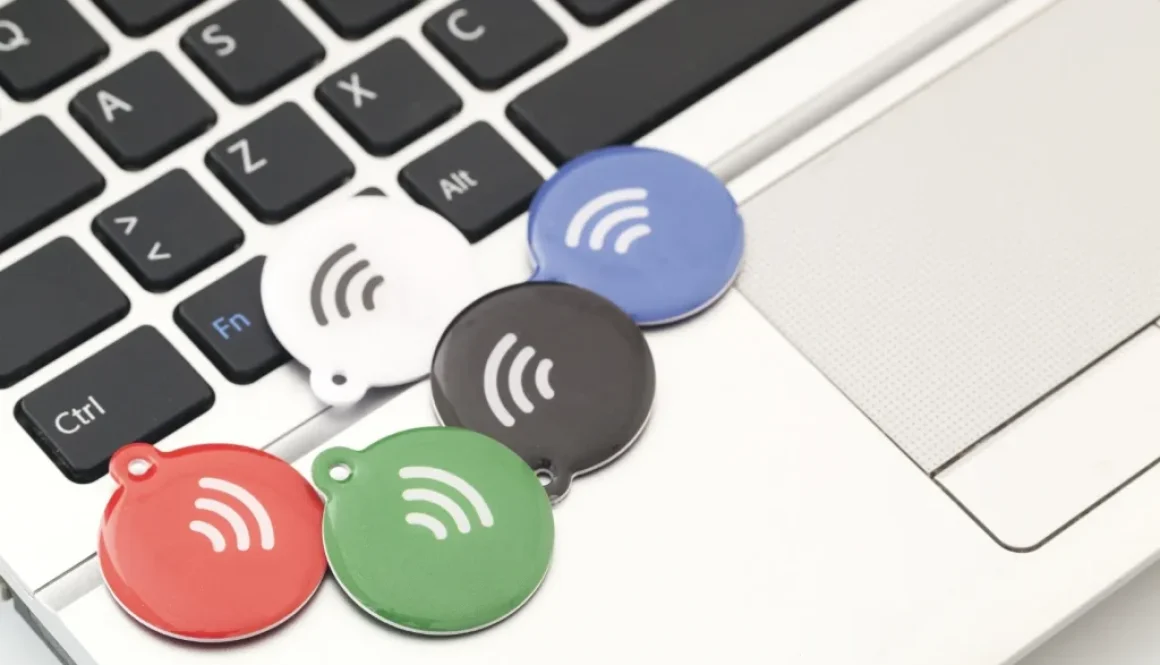
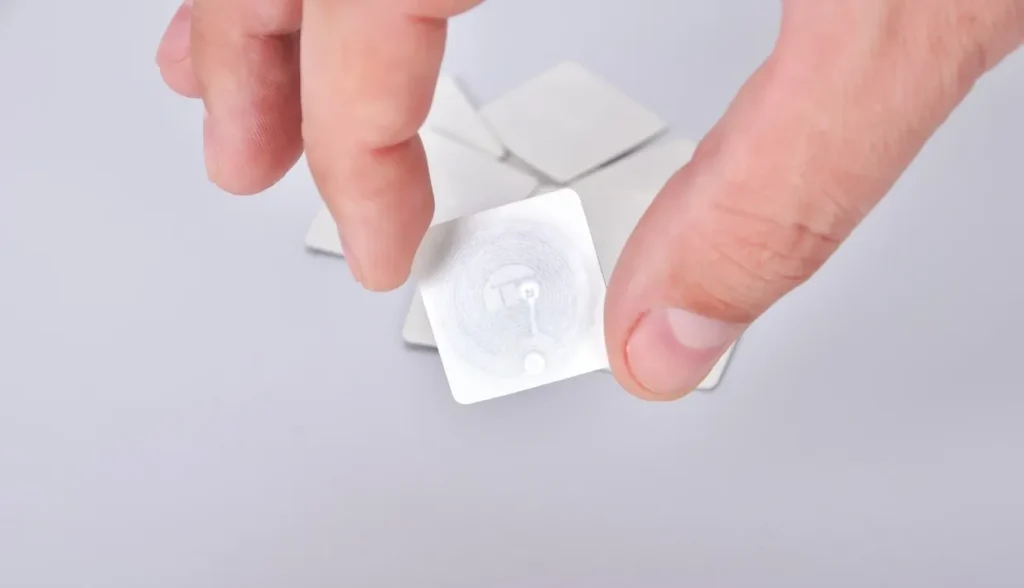
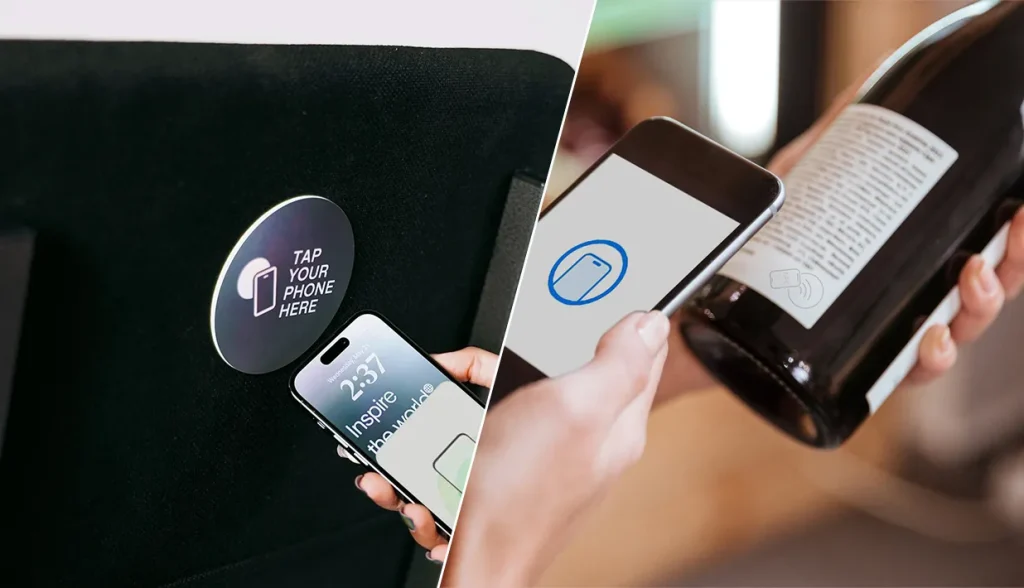











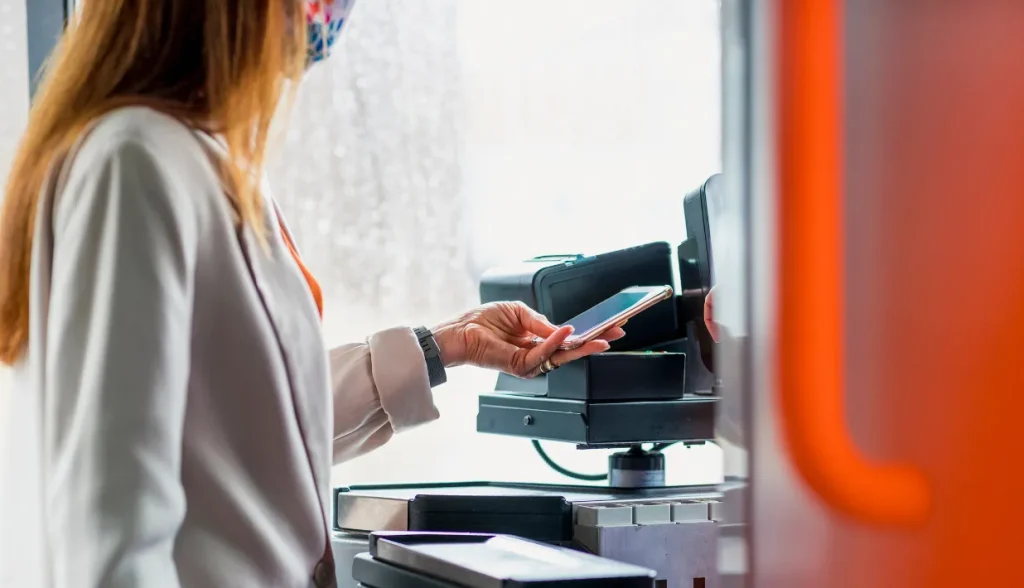


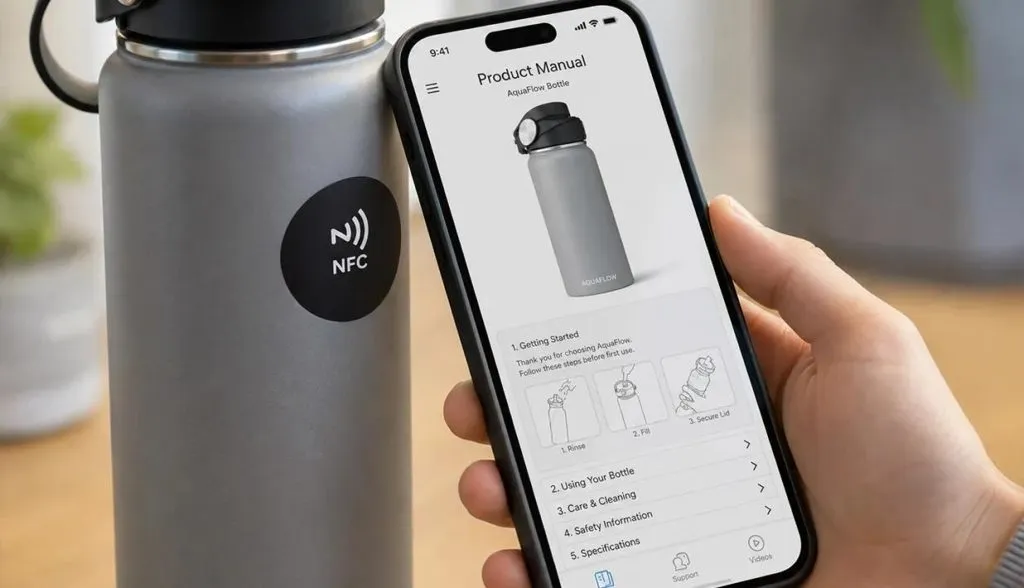
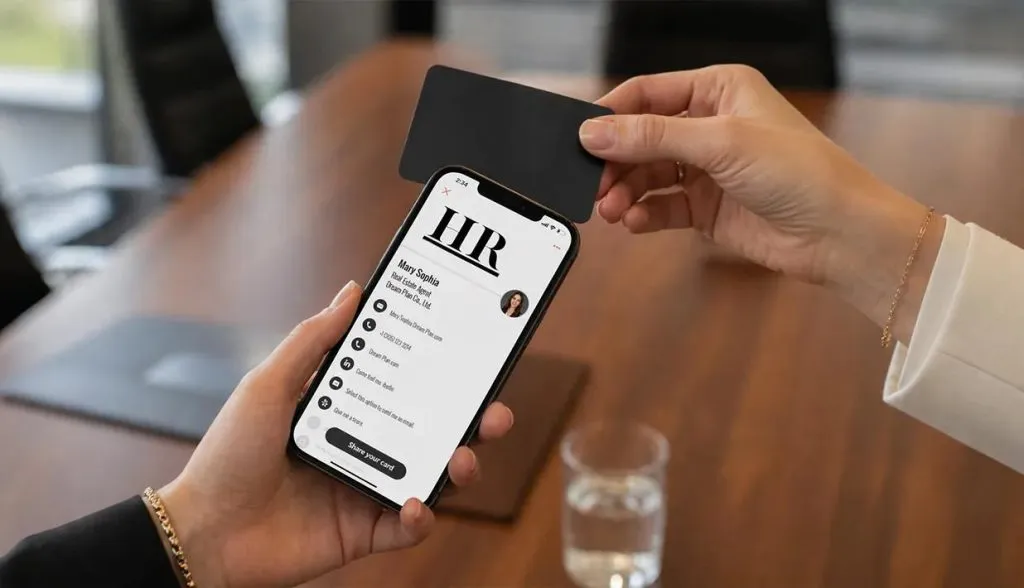


 EN
EN  ES
ES  JA
JA